This article describes the previous version of the Waiting List. If your office already uses Digital Queue, see Digital Queue.
We have added several features to help you manage the waiting list more easily.
Here are some frequently asked questions about the waiting list changes:
How can customers request to be added to the waiting list?
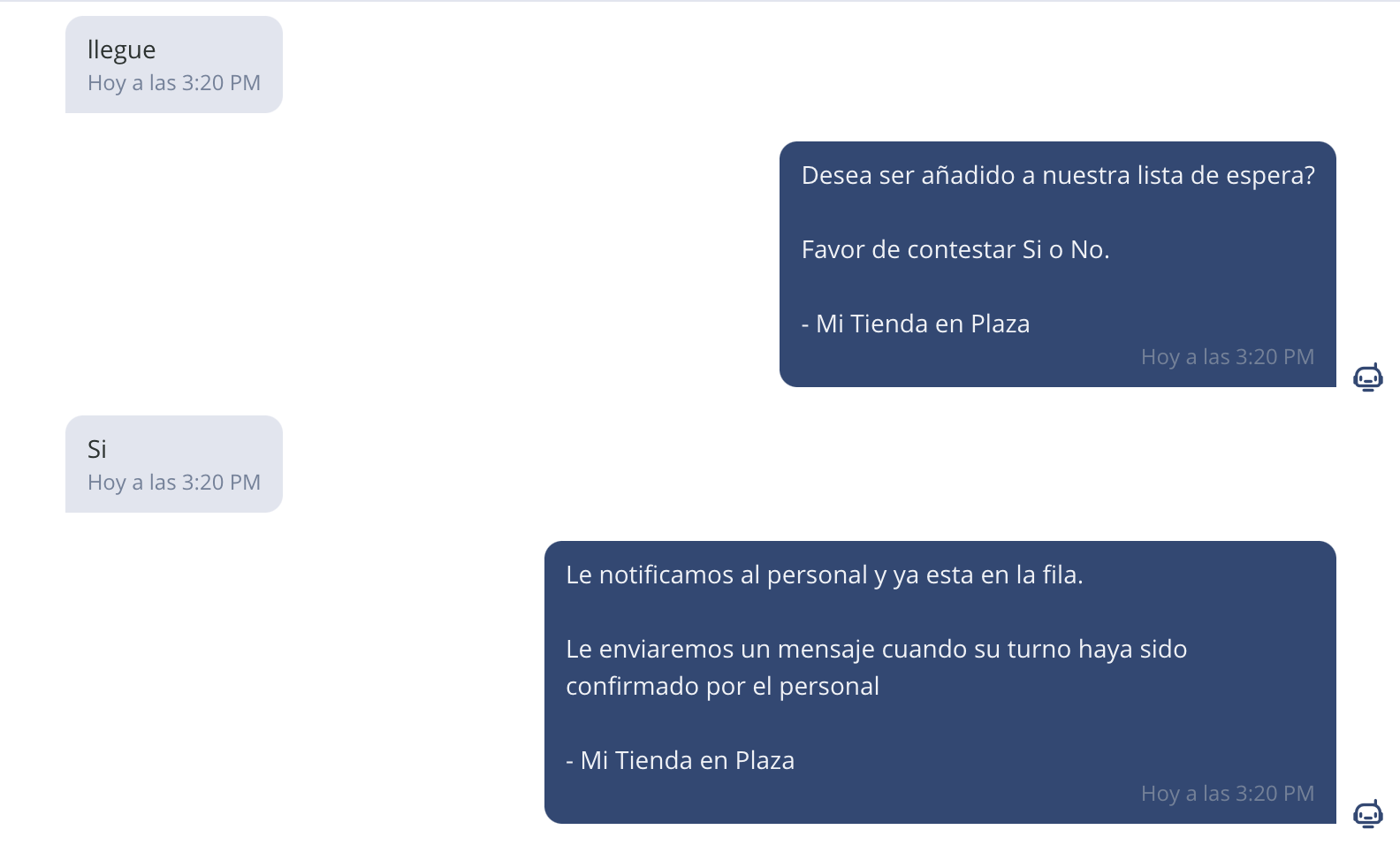
Customers can now send a message saying "I'm here" or "I arrived" and if you have the waiting list enabled, BrainHi will automatically handle the conversation. The customer will be notified that staff needs to confirm their turn on the waiting list.
How does this change waiting list usage for my staff?
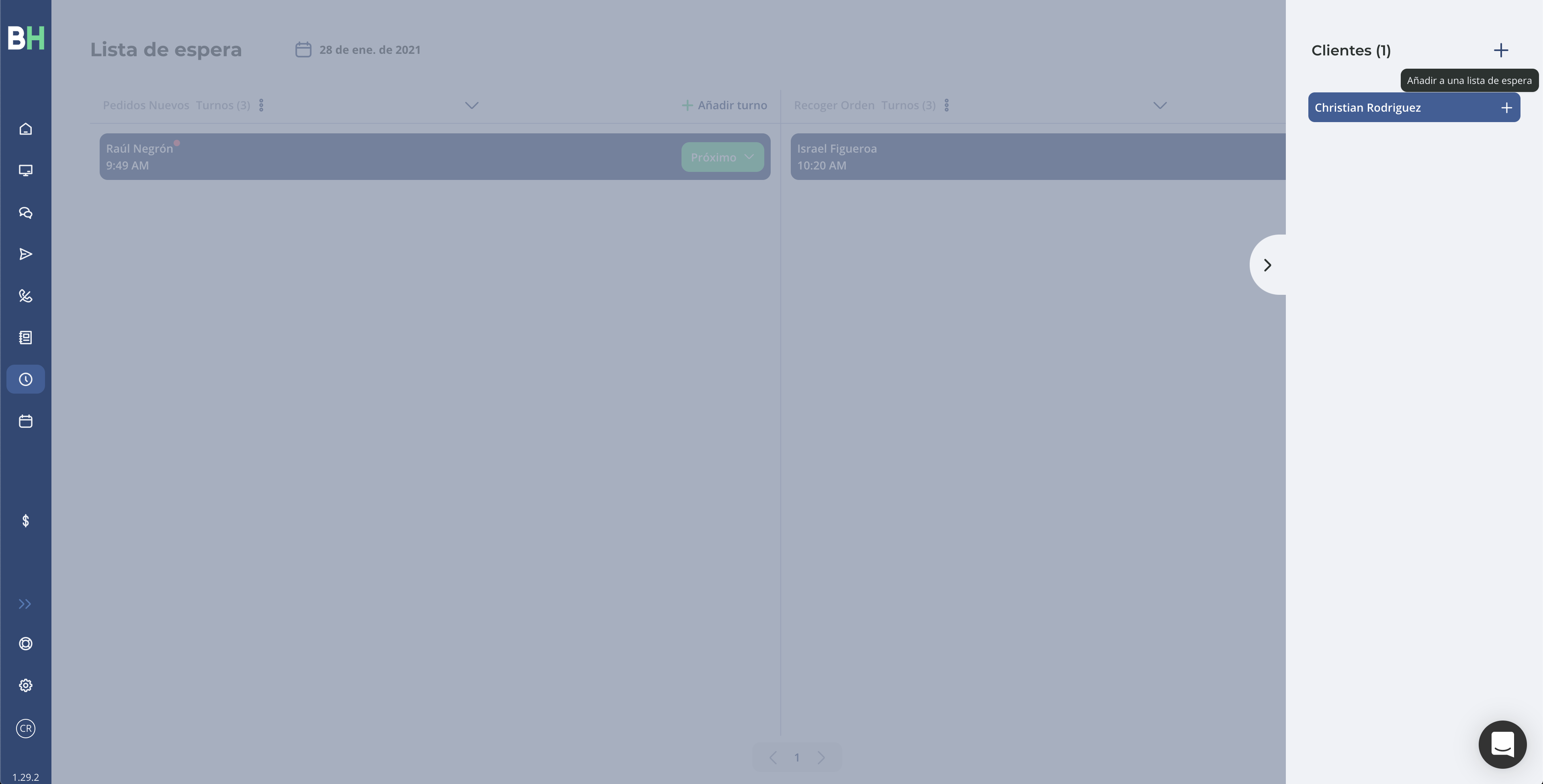
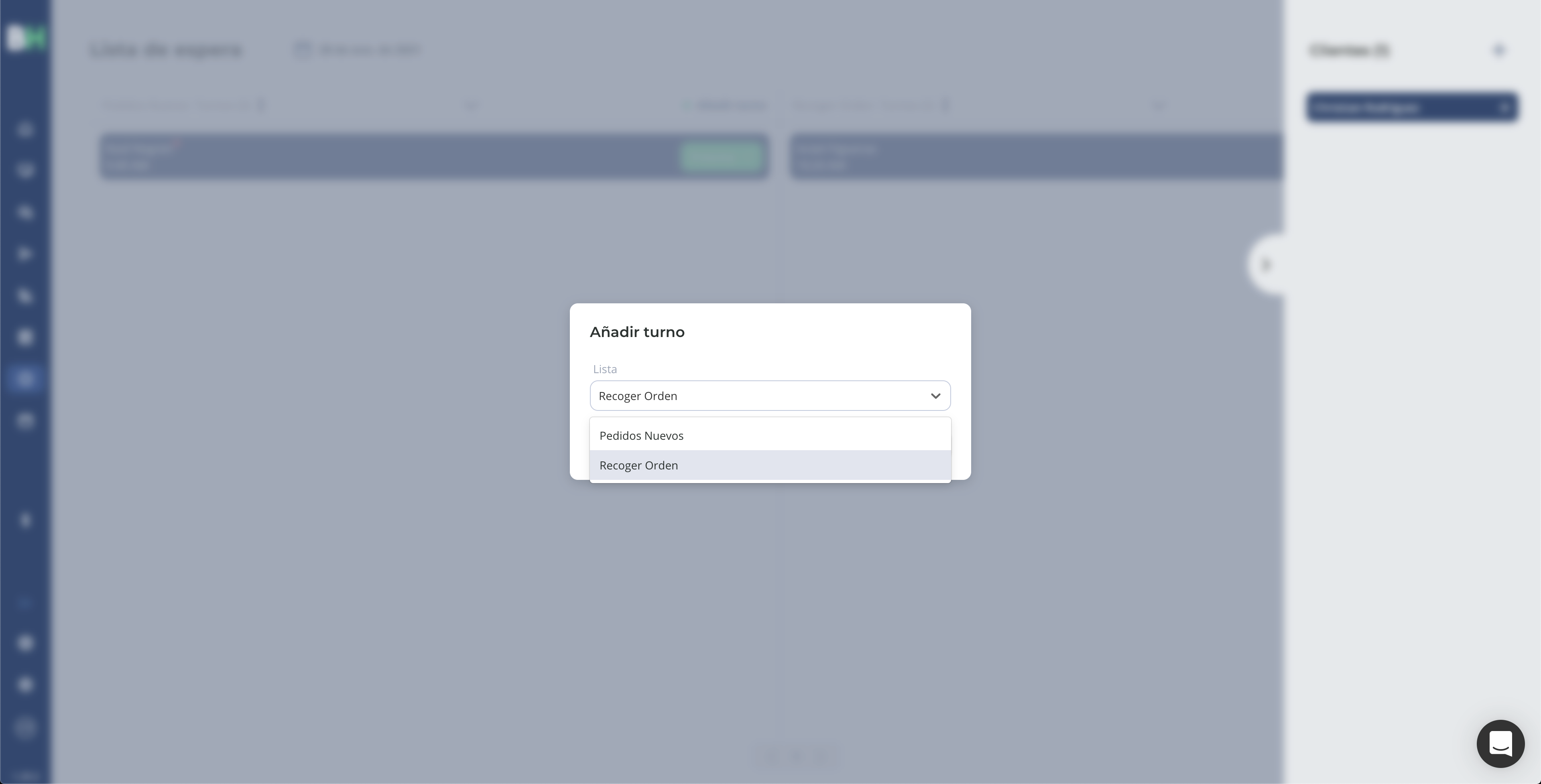
The waiting list has a new section on the right to manage customers who write directly to request a turn. Staff can click the plus "+" symbol to confirm that customer and add them to the waiting list.
If the waiting list has already started, the customer will automatically be notified of their turn number.
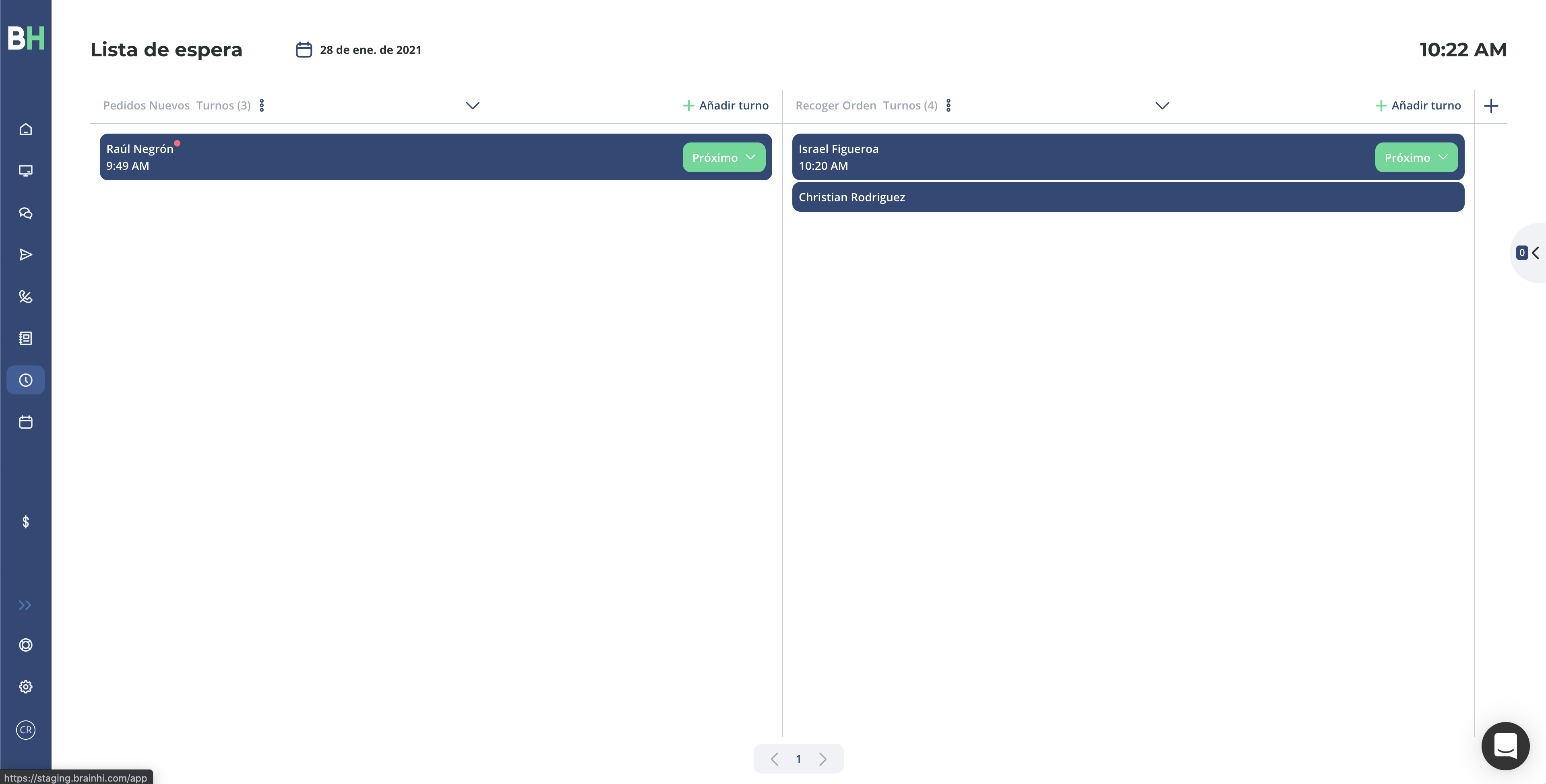
This way you can streamline the process of adding your customers to the waiting list, without them having to get out of their car. We hope this feature helps you continue successfully managing the flow of customers in your business.
Related articles