How to use the conversation sorting tool?
This feature lets you sort your conversations in the inbox in ascending or descending order, giving you greater flexibility in managing your conversations.
Why is sorting your conversations important?
Your Pending Conversations inbox currently shows conversations with the most recent interaction or rescued call first.
The sorting tool lets you prioritize and organize your messages according to your needs, letting you choose how your conversation inbox is displayed.
How to sort your conversations
-
Access the Conversations inbox: Log in to your account and go to the Conversations section.
-
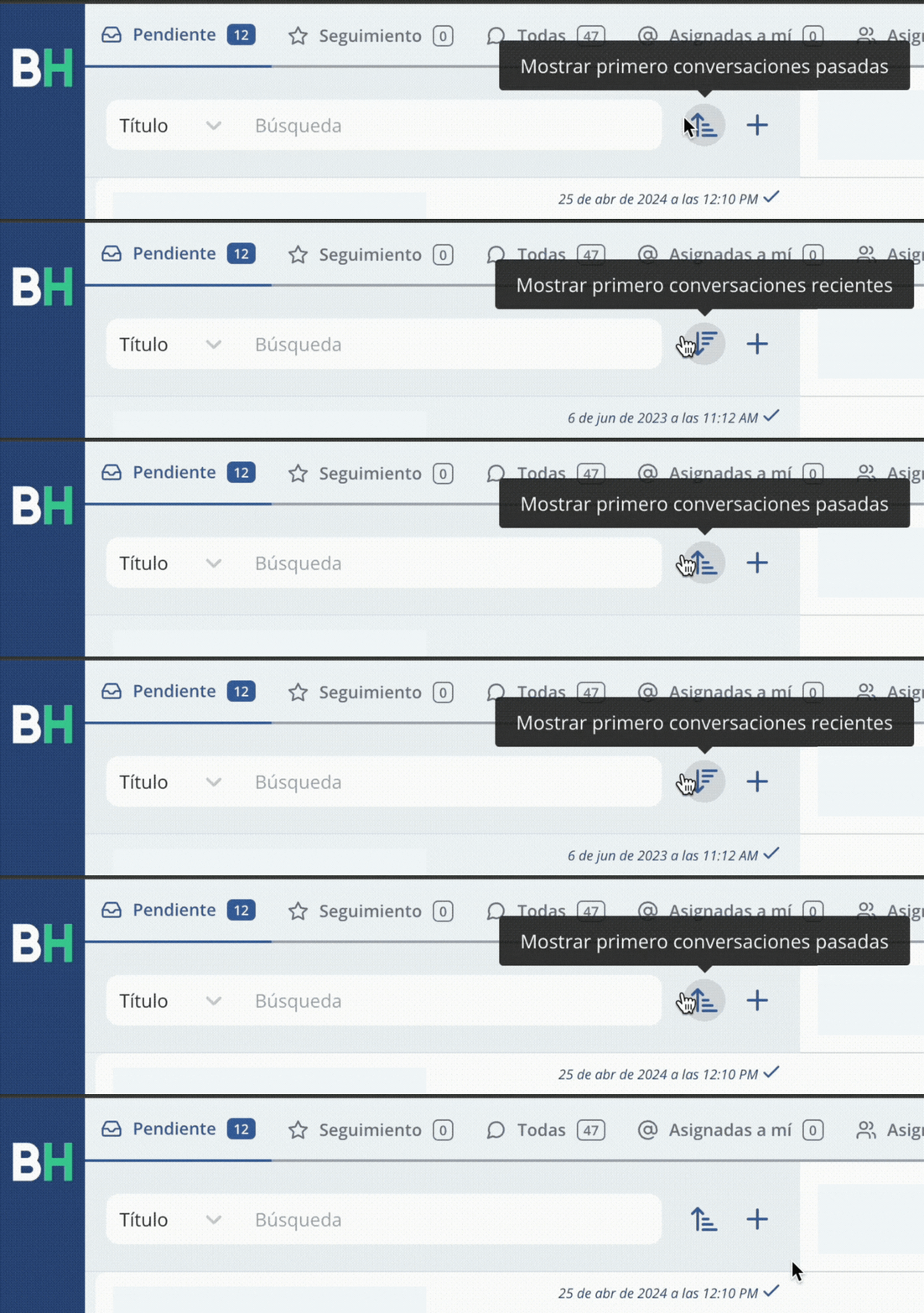
Find the sorting icon: Once in the Conversations inbox, look for the sorting icon located on the right side of the search bar. This icon looks like an arrow pointing up or down, depending on the current sort order.
-
Select the desired order: Click the sorting icon to change the sort order of your conversations. If you want to see the most recent conversations first, select the downward arrow (descending). If you prefer to see the oldest conversations first, select the upward arrow (ascending).
-
Done! Once the desired order is selected, conversations will be reorganized according to your choice. You can now enjoy an inbox sorted to your preferences.
How to reverse the sort order?
If at any point you want to return to the original sort order or change the order again, simply follow the same steps above. Click the sorting icon and select the opposite option to the one currently selected. The change will apply immediately, letting you adapt the conversation view as needed.
Take control of your conversations
The conversation sorting feature is a powerful tool that gives you control over how your messages are organized. Whether you need quick access to the most recent conversations or want to review messages that have been waiting the longest, this feature makes it easy.
Related articles