After creating a contact list you can send Campaign messages to that list. This way you can run effective and fast marketing campaigns.
Follow these steps to send a Campaign to a Contact list.
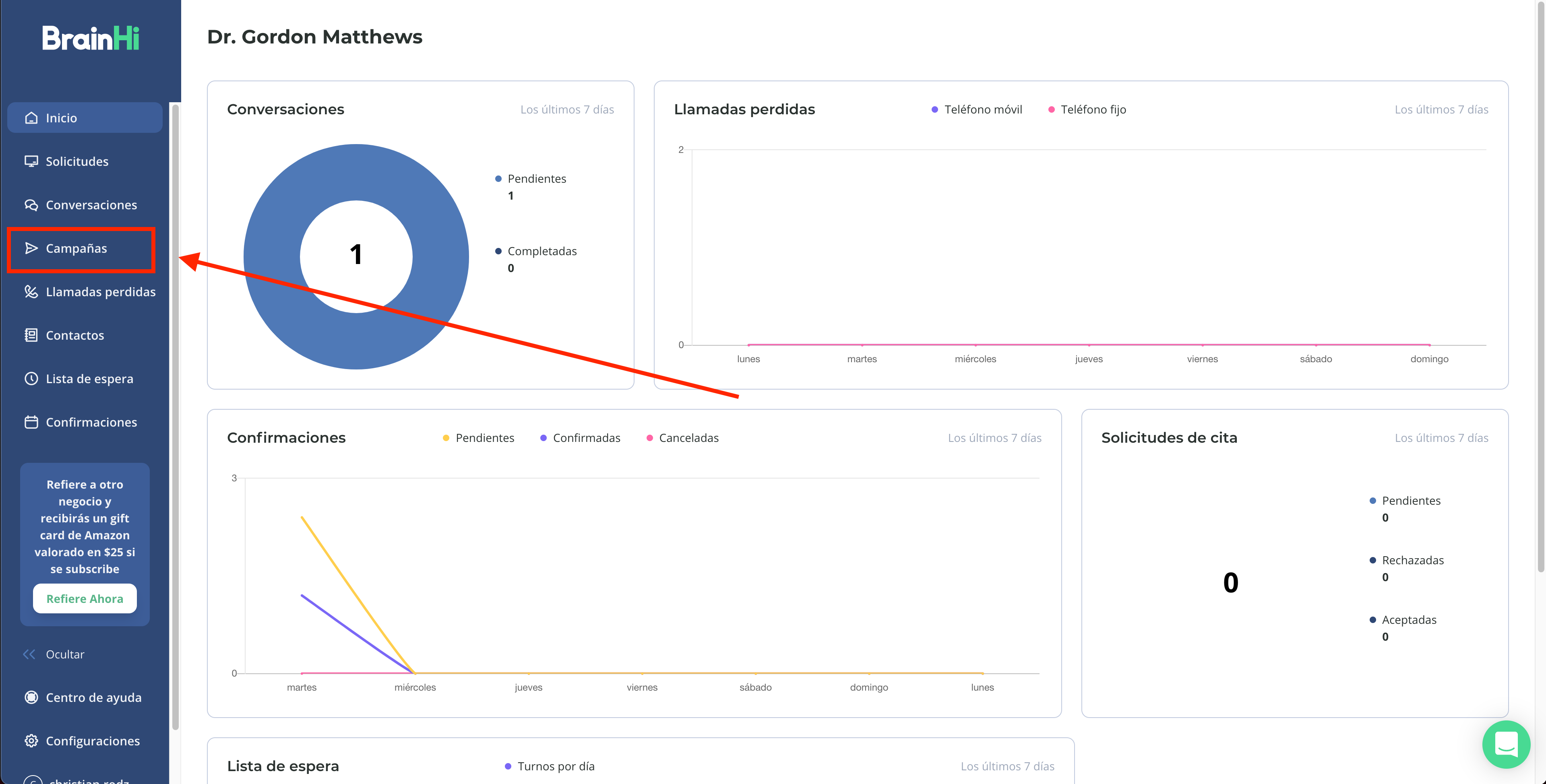
Go to the Campaigns page
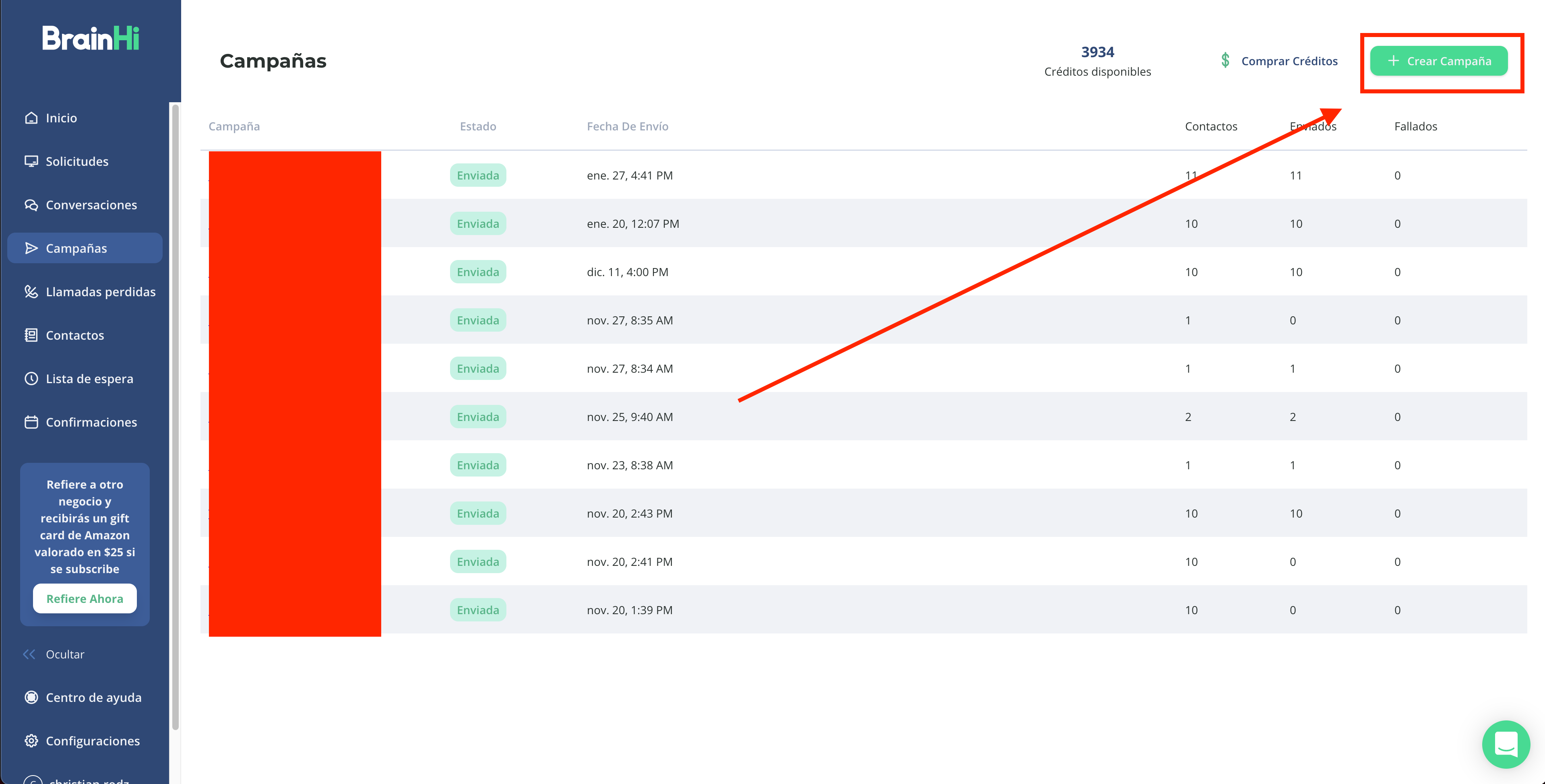
Click the "Create Campaign" button
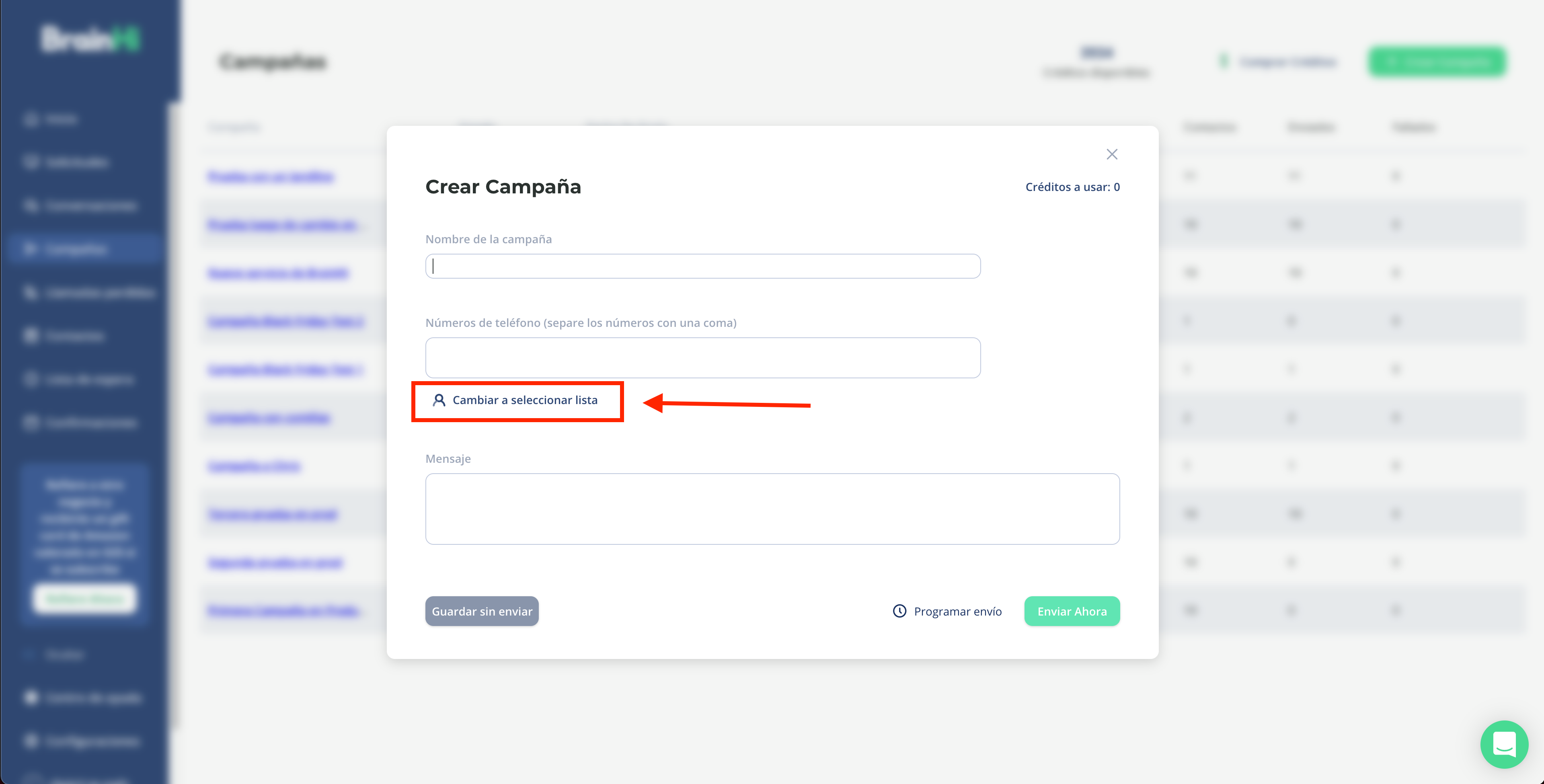
Click the "Switch to select list" text
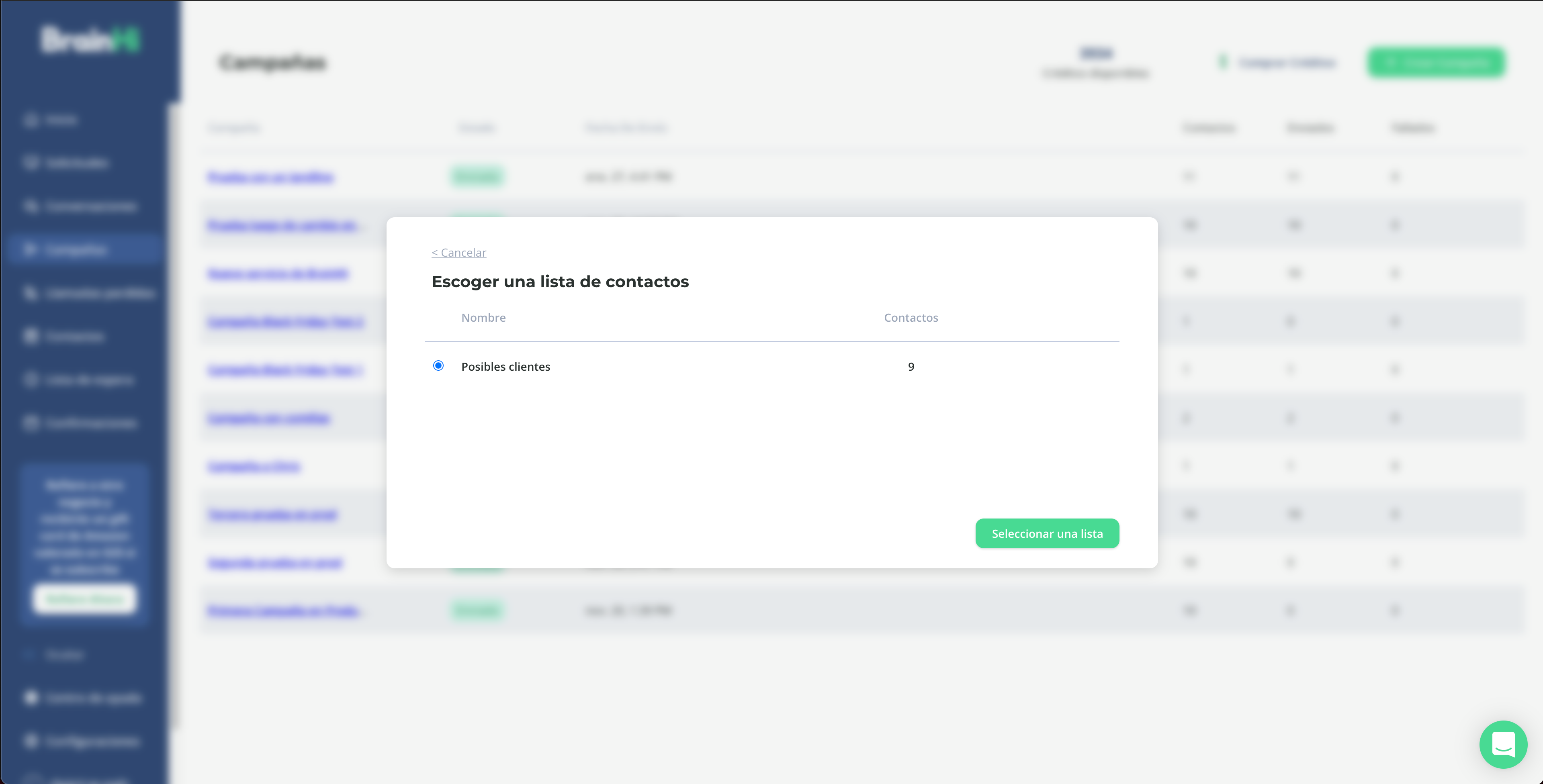
Click "Select a list"
Choose the list you want to send this Campaign to
Fill in the Campaign Name and Message fields
Note that "Credits to Use" updates to the number of contacts in the list
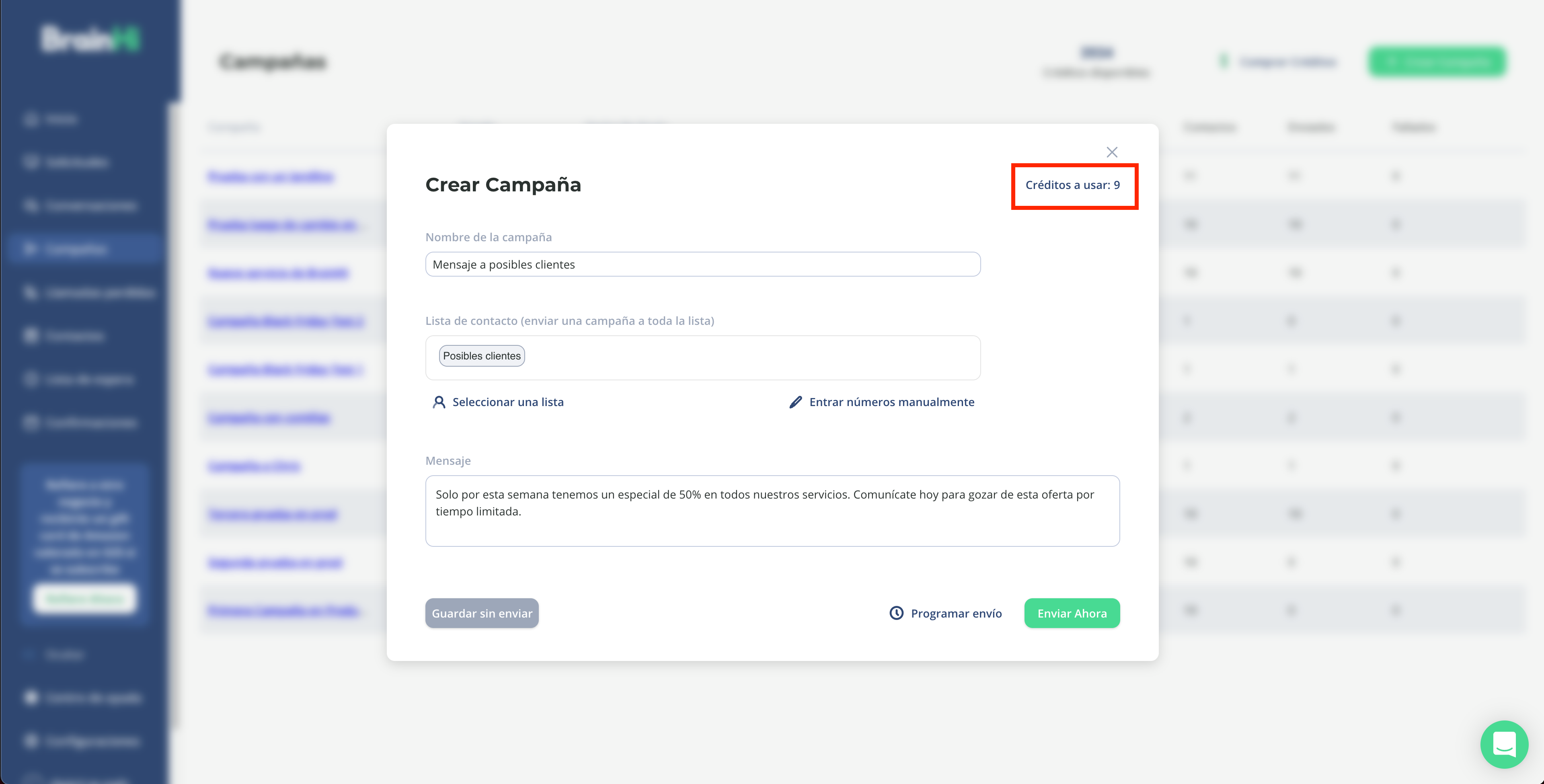
This way you can streamline the process of sending Campaigns and send multiple Campaigns to your contact list.
Related articles