We developed Tasks with you in mind. We know how hectic your daily routine can be and how complicated it can feel to attend to patient needs while documenting every detail. We are confident that Tasks will help make your days more organized and manageable.
See also: What Are Tasks and Their Benefits?
Discover how to make the most of it in just 6 steps!
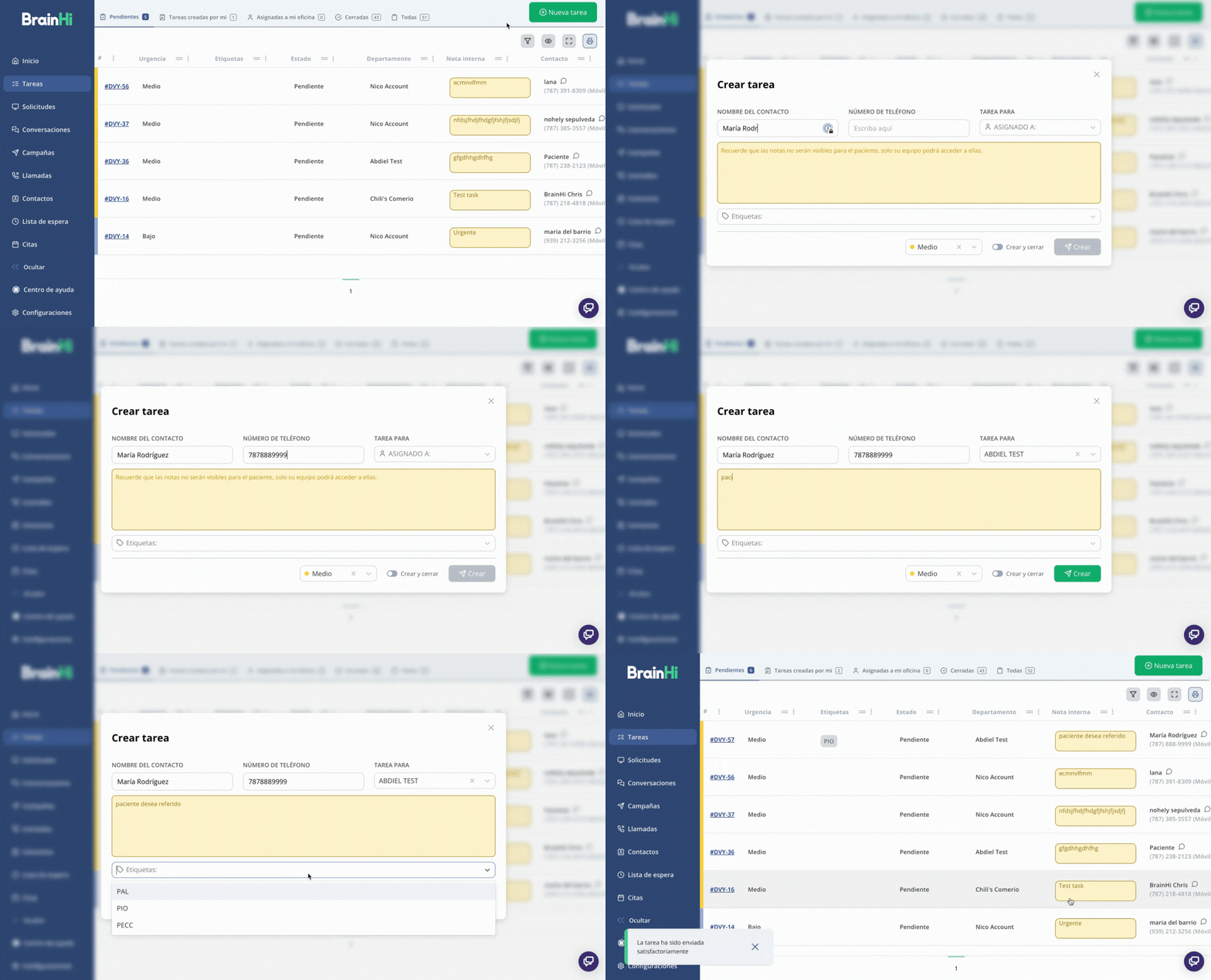
1. Create a Task
Generate tasks for your team or for yourself to foster collaboration between departments and effectively document patient needs.
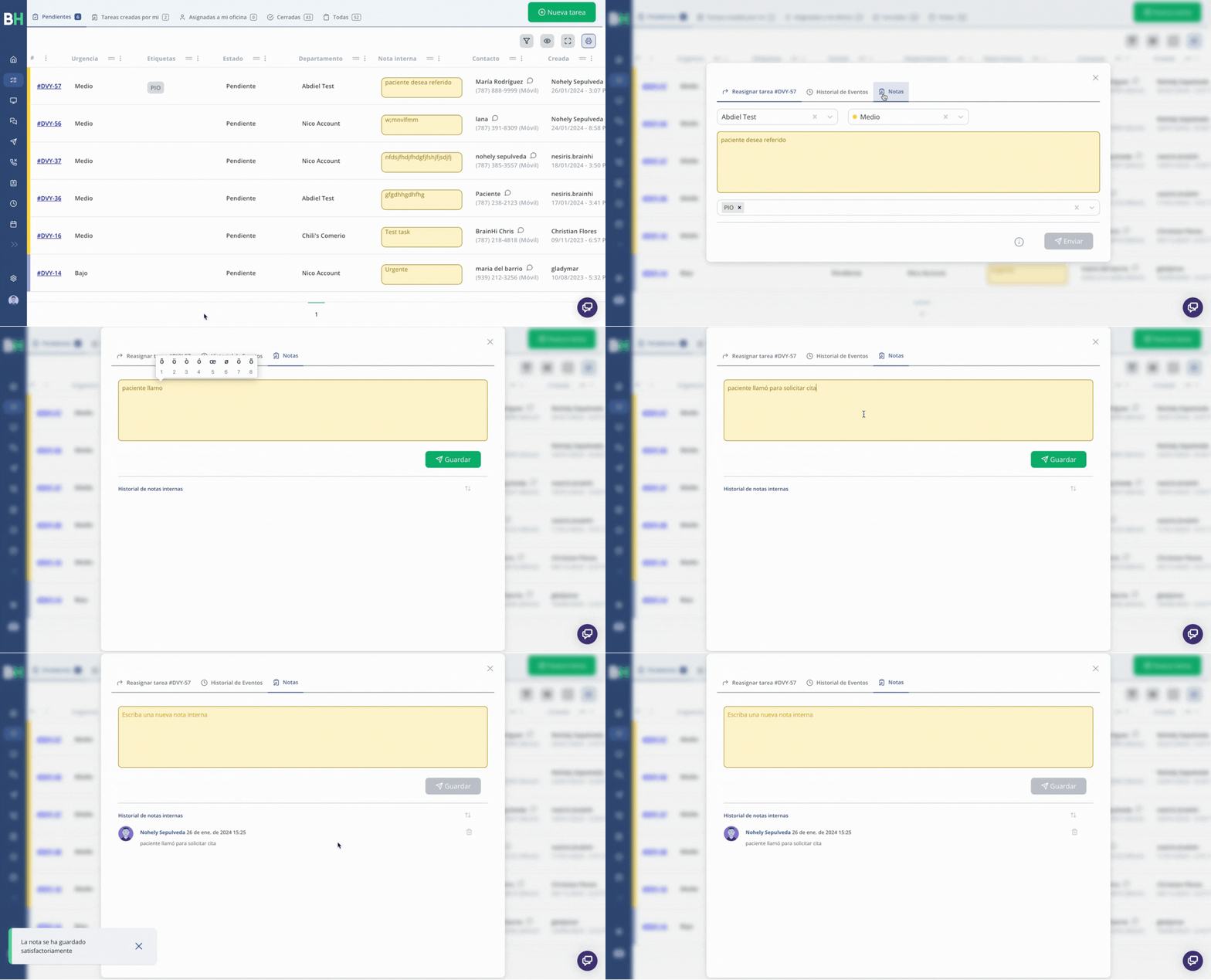
2. Add an internal note inside an existing Task
Document relevant actions, needs, or events for your patients to maintain a comprehensive log of all notes related to them.
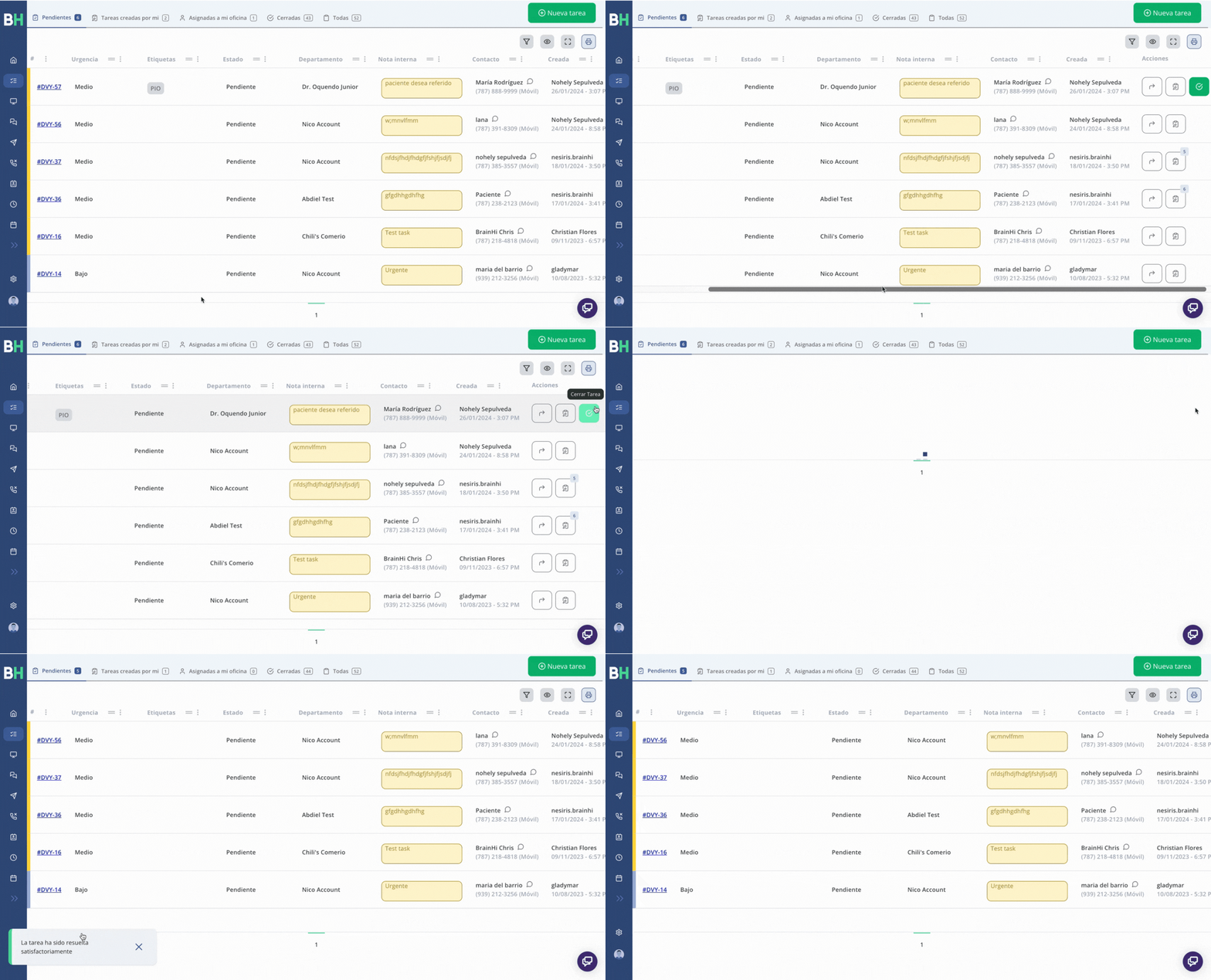
3. Close a Task
If a Task is assigned to you, you can close it. Otherwise, you cannot close tasks assigned to another department or team.
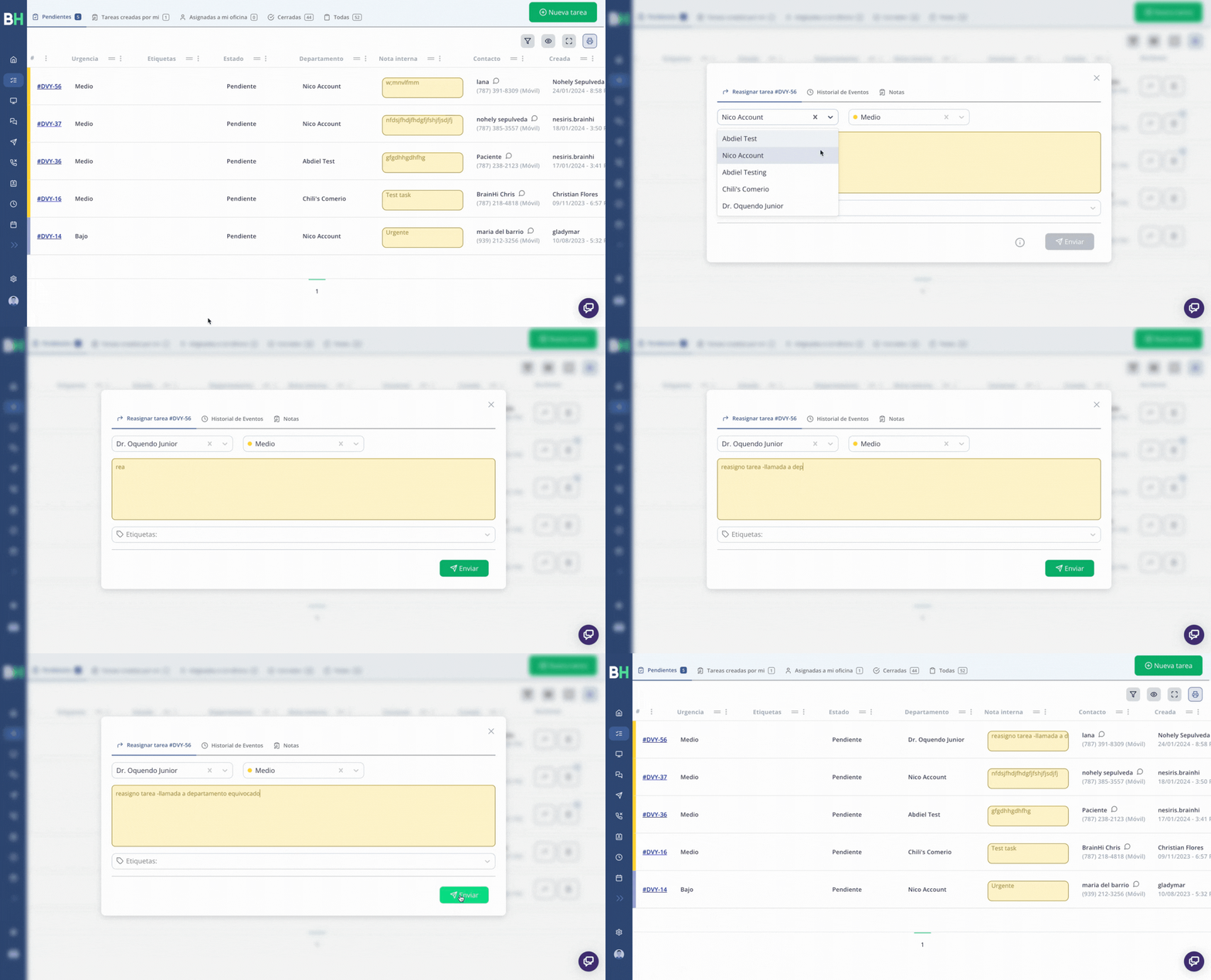
4. Reassign Tasks
Optimize the reassignment of tasks between different departments or teams and foster effective collaboration with your team.
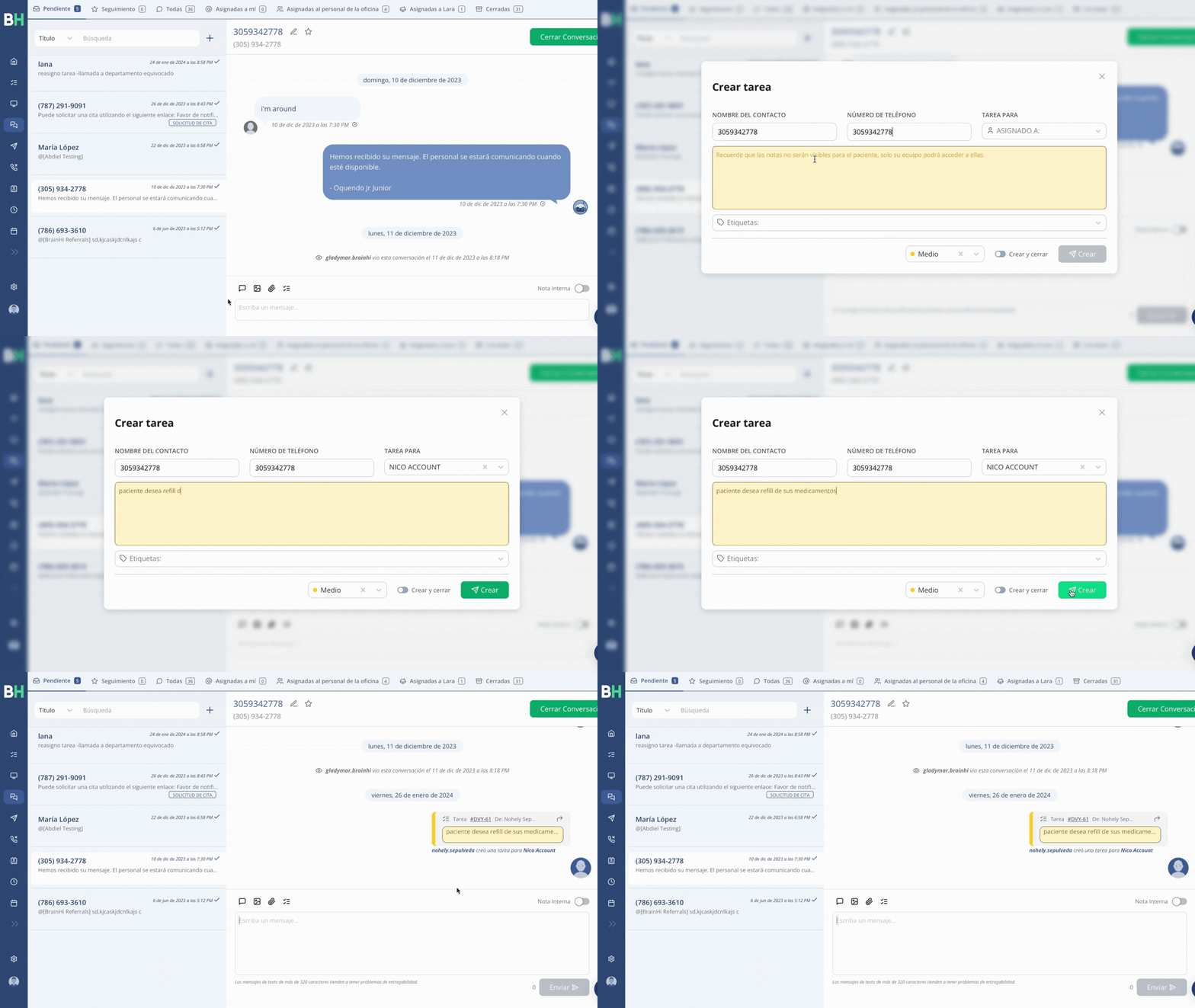
5. Create a Task from a conversation
To optimize your time management, we recommend avoiding switching screens when creating a task. Instead, you can do this directly from the Conversations portal, simplifying the process.
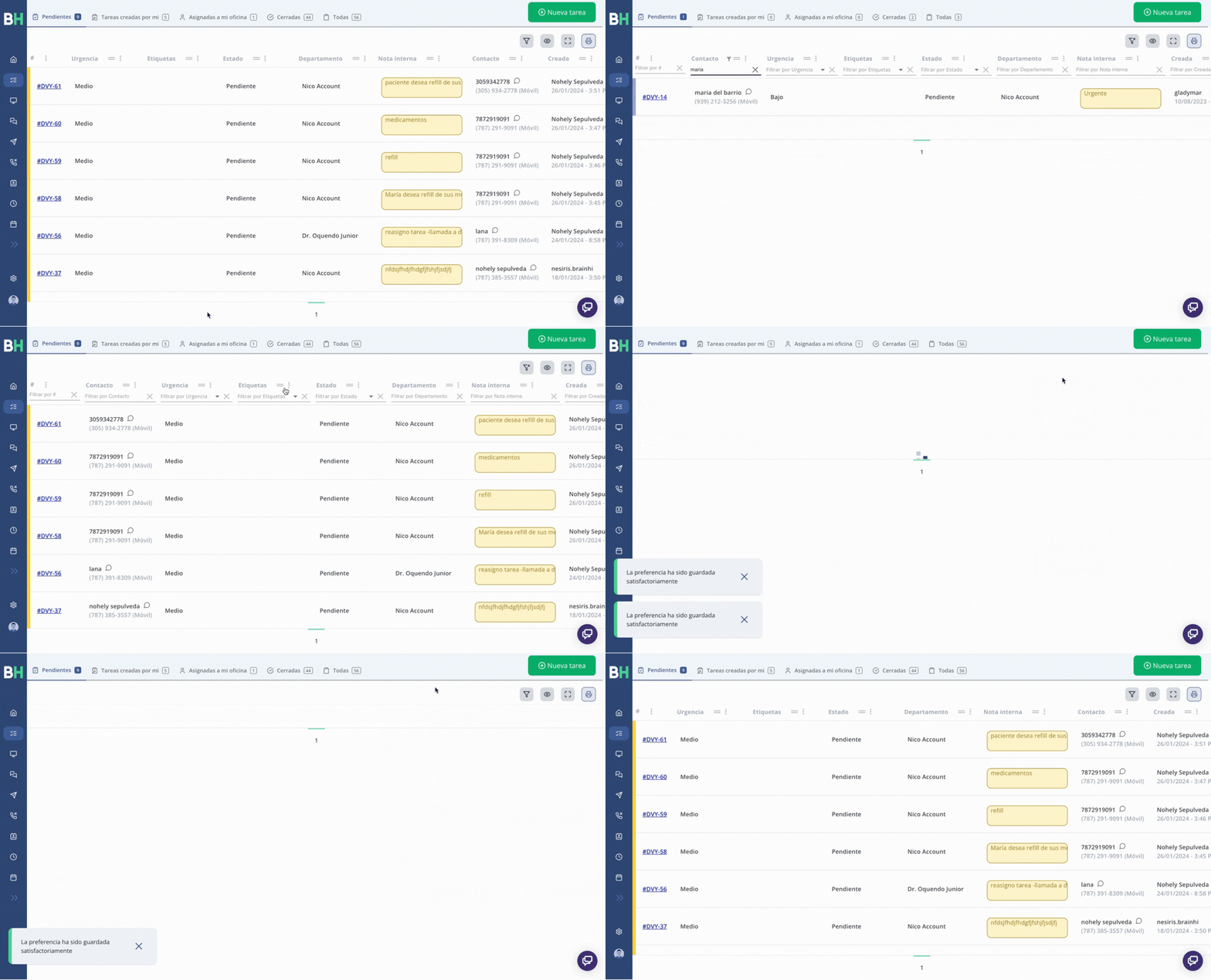
6. Customize to your preference and need
- Customize the columns based on your needs.
- Perform filtered searches for more precise results.
Related articles