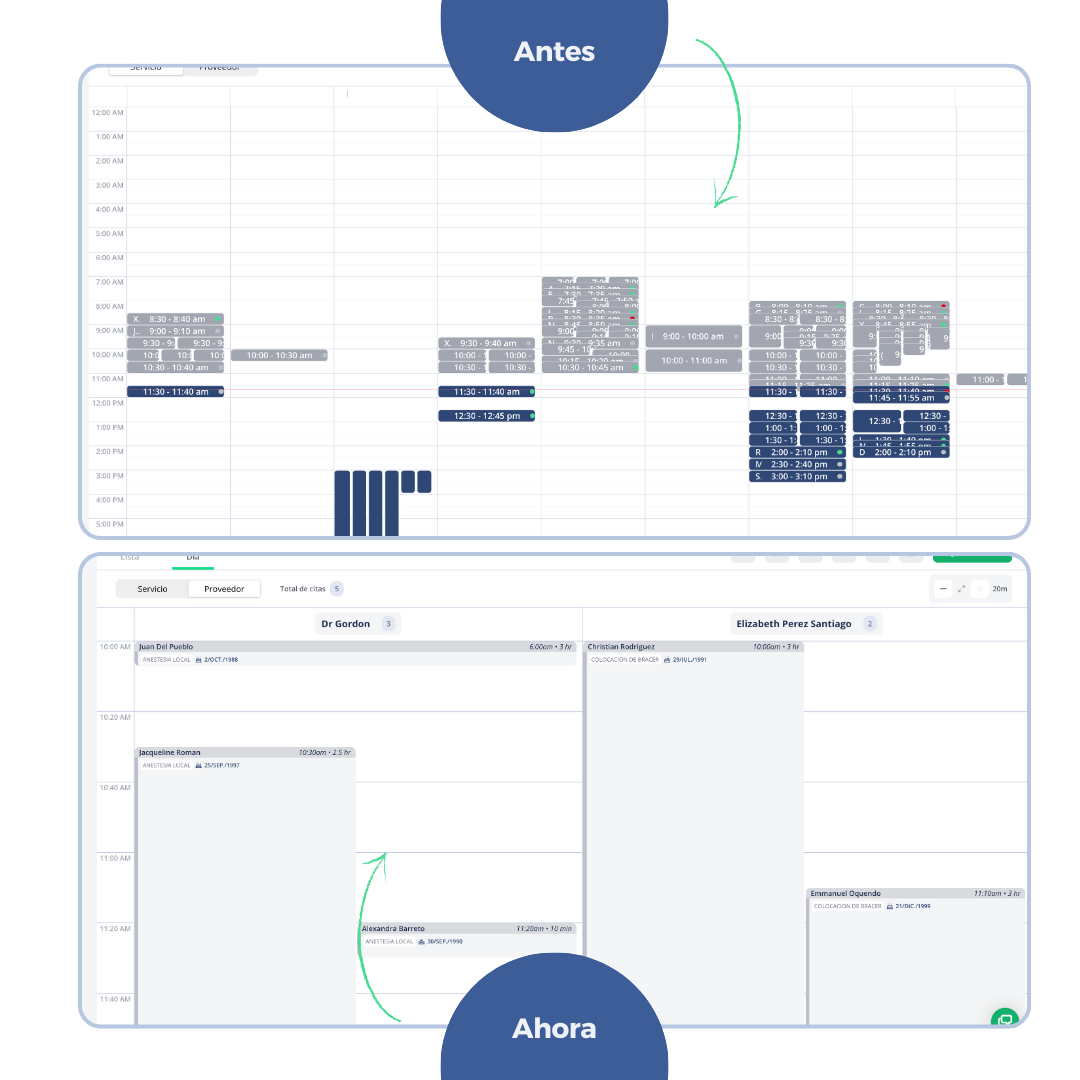
We have made updates to the BrainHi calendar design to make the experience more intuitive and efficient. It is important to note that these changes focus solely on the appearance and display of information, without affecting the existing calendar functionality.
Below is a detailed breakdown of each improvement implemented:
1. Improved Appointment Component
-
More spacious design: The space within each appointment component has been optimized for easier reading and interaction.
-
Expanded patient information: Each appointment now clearly and neatly displays the following patient information:
-
Name
-
Appointment duration
-
Start time
-
Assigned service
-
Date of birth
-
If there is a high appointment frequency and short appointment duration, this change may be affected by convergence.
2. Expanded Information on Hover
-
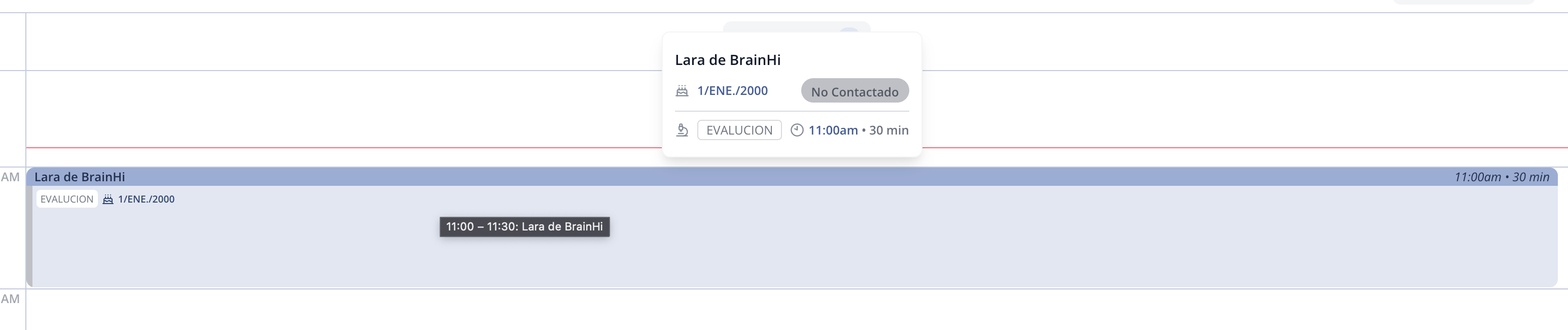
Highlighted information on hover: When you position the cursor over an appointment, additional patient information is displayed. This hover effect improves visibility and makes it easy to review important details without needing to click.
3. Zoom Function for Appointment View
-
Interactive zoom in: You can now expand the appointment view in 60, 30, and 20-minute intervals. This feature allows:
- More information visible at a single glance.
- Dynamic adjustments based on display needs, making scheduling and schedule review easier.
4. Horizontal Navigation of Patient Columns
-
Intuitive horizontal scrolling: The ability to navigate horizontally between columns containing patient information has been added. This improvement helps to:
- Smoothly and quickly view the details of each patient.
- Optimize the use of screen space.
5. Appointment Counter
-
Breakdown by service or provider: The number of appointments assigned to each service provider and the total are displayed, making it easier to:
-
Organize and track appointments.
-
Make decisions based on each team or professional's workload.

-
Related articles