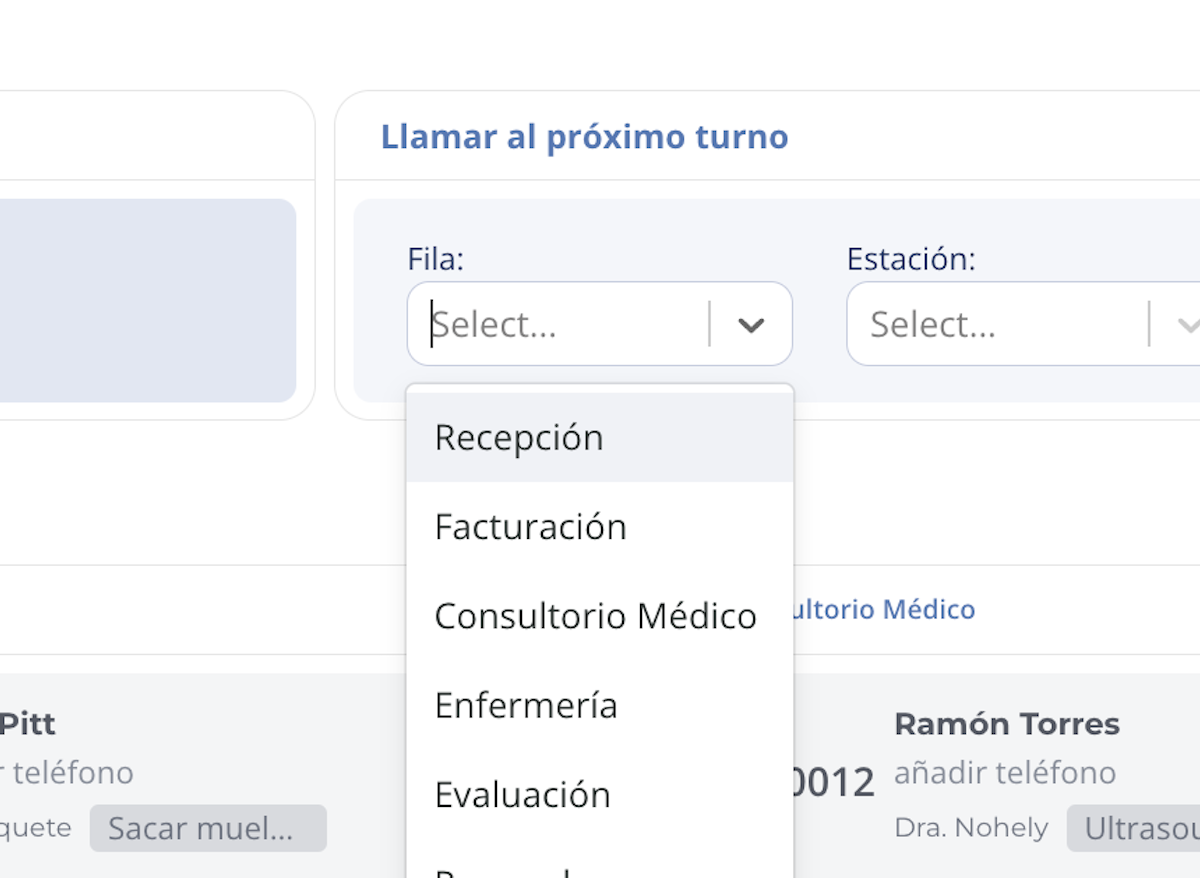
1. Select a queue
Enter the Digital Queue module and select the queue from which you want to call the patient.
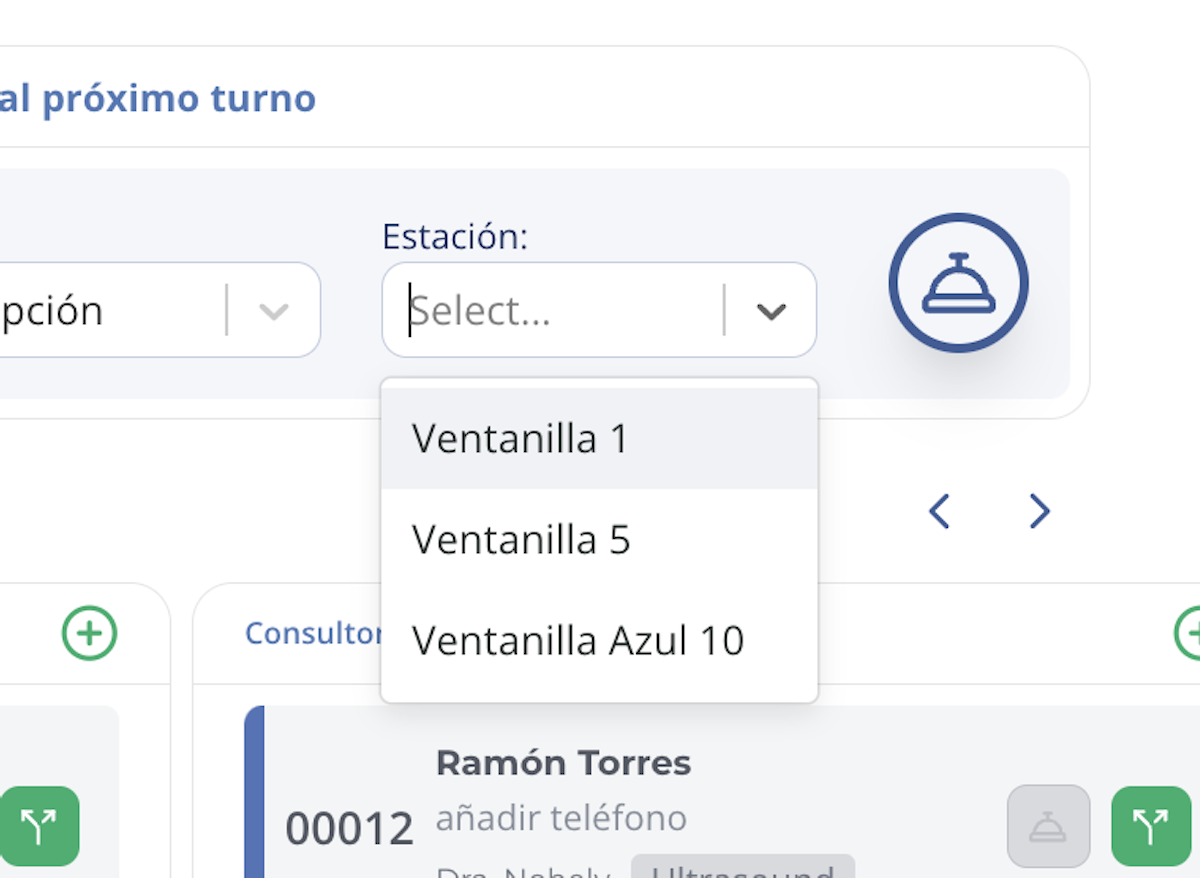
2. Choose the station
Select the station (window, room, or office) where the patient will be called.
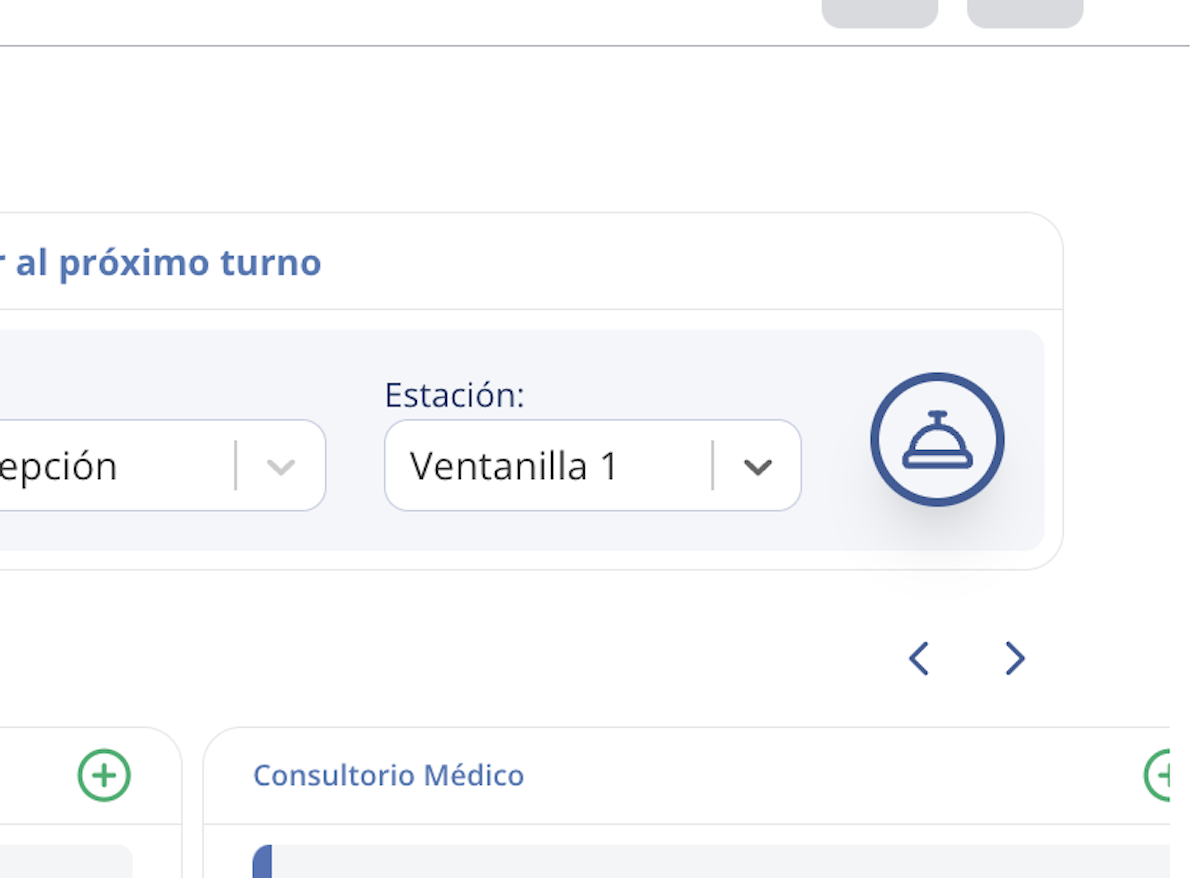
3. Option 1: Call the next patient in line
Click the bell icon that appears next to the queue and station to call the next patient in waiting order.
When you do, the patient will receive a text message like this:
"It's your turn! Please proceed to Medical Office to be seen at Window 3.
-Oquendo Jr Junior"
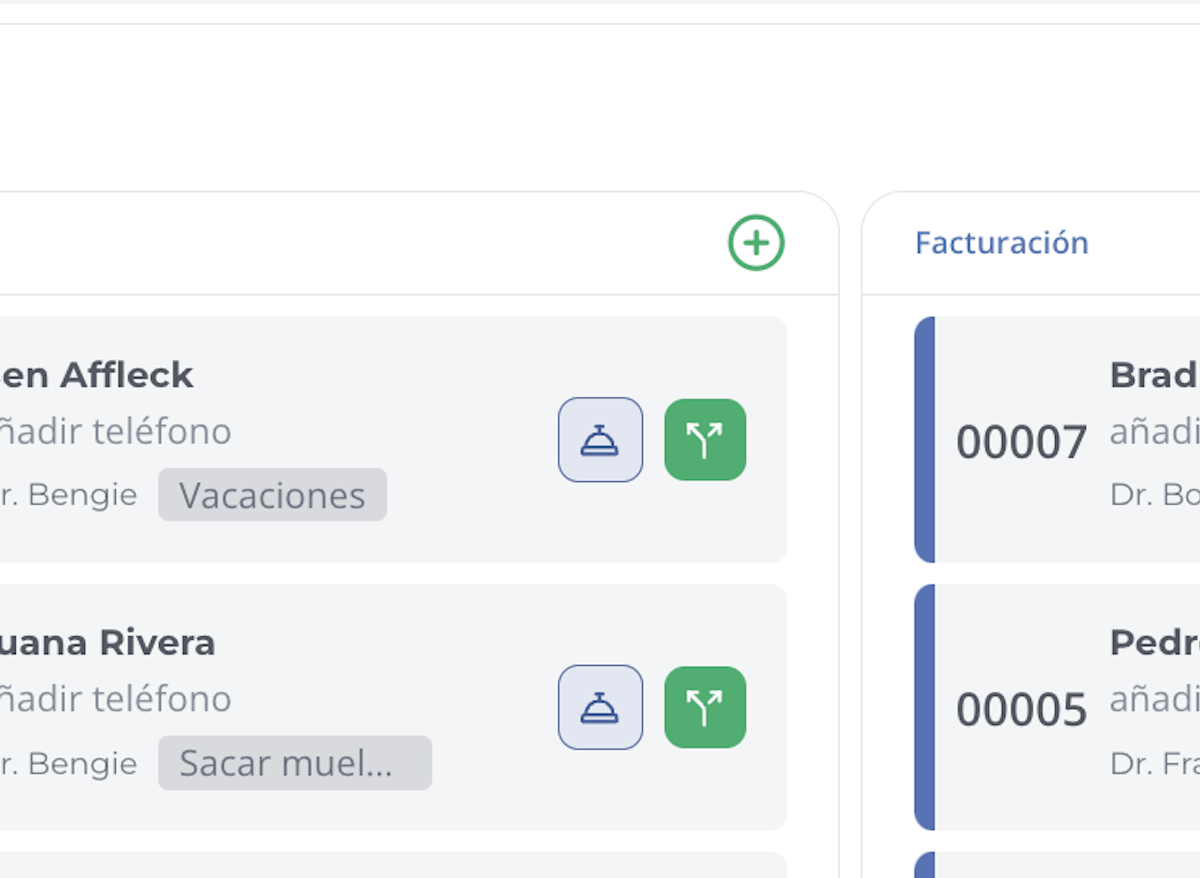
4. Option 2: Call a specific patient from their Attendee Card
You can also call a patient directly from their card (Attendee Card).
This option is useful when you need to prioritize someone (for example, a pregnant woman or an urgent case).
The patient will receive a text message similar to:
"It's your turn! Please proceed to Medical Office to be seen at Window 3.
-Oquendo Jr Junior"
Summary
- Select the queue and the destination station.
- You can call the next patient in line or a specific patient from their card.
- The patient will receive an SMS notification indicating where to go.
- The turn will be announced on the TV screen in the Waiting Room.
This way, the call process in Digital Queue is fast, organized, and keeps patients informed in real time.
Related articles